

Introduction to Canva:
Creative Classroom Uses
By Piera Camposeo | Archangel
Canva is a graphic design platform that allows users to create a variety of visual content, such as posters, flyers, social media graphics, and presentations. Its user-friendly design makes it an ideal tool for both beginners and experienced designers.
Why Use Canva with Elementary Students? Canva is easy to navigate and helps students develop digital skills, enhance their creativity, and visually express their ideas. It provides a safe and engaging learning environment, encouraging students to explore new ways of presenting information.
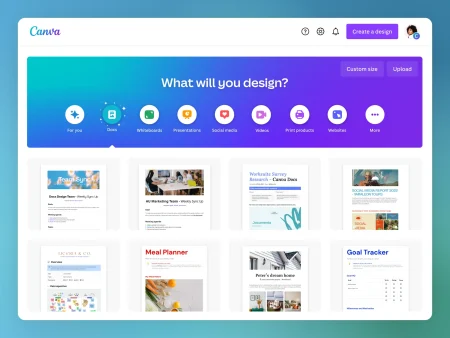
Do I need advanced design skills to use Canva?
Not at all! Canva is designed for all skill levels. It offers a variety of pre-made templates that you can easily customize with text, images, and other design elements. The drag-and-drop feature makes creating designs from scratch simple and fun.
Is Canva free to use?
Canva offers both free and paid versions. The free version includes a good selection of templates and features, which are sufficient for most elementary school projects. The paid version provides more advanced tools and features if needed.
Can Canva be used for non-design-related subjects?
Yes, Canva is incredibly versatile and can be used for a wide range of subjects like Social Studies and Science. You can create engaging infographics, timelines, and diagrams to help students better understand complex concepts.
 Creative Classroom Applications
 Creative Classroom Applications
Interactive Posters: Students can design interactive posters that showcase their learning and engage viewers. They can add hyperlinks, videos, and other media using Canva’s interactive features.
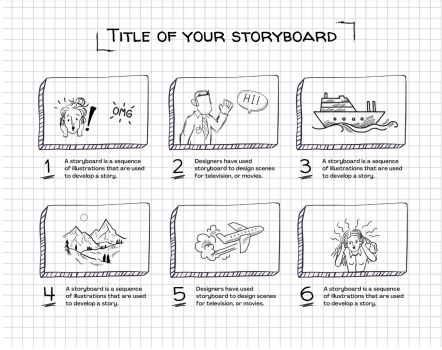
Digital Comic Strips Canva can be used to create digital comic strips that tell a story or explain a concept. Students can select pre-designed comic strip layouts and add their own images and captions to create unique comic strips.
Multimedia Presentations Canva helps students create multimedia presentations combining text, images, and other media. They can use Canva’s presentation mode to share their work and demonstrate their understanding of a topic.
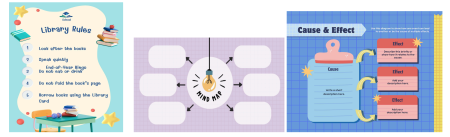
Aligning Projects with Learning Objectives Teachers can integrate Canva projects into various subjects like language arts, social studies, and science. For example, students can create posters to showcase their research on historical figures or design infographics to explain scientific concepts. Aligning these projects with specific learning objectives helps develop research skills, improve communication, and foster creativity. Formative assessment feedback can guide students to enhance their design and presentation skills.
Incorporating Canva into Lesson Plans
Aligning Projects with Learning Objectives Teachers can integrate Canva projects into various subjects like language arts, social studies, and science. For example, students can create posters to showcase their research on historical figures or design infographics to explain scientific concepts. Aligning these projects with specific learning objectives helps develop research skills, improve communication, and foster creativity. Formative assessment feedback can guide students to enhance their design and presentation skills.
Collaborative Canva Projects
Group Design Challenges Organize design challenges such as creating a poster to promote recycling or a new book cover. Divide the class into groups, encouraging teamwork and creative problem-solving.
Peer Reviews and Feedback Have students review each other’s work. For example, after designing a poster, they can pair up with a partner to provide constructive feedback. This activity helps improve design skills and strengthens communication and critical thinking abilities.
Encouraging Creativity and Innovation Inspire students by giving them the freedom to design what they want on Canva. Let them choose colors, fonts, and images to develop their unique style and feel more invested in their work.
Setting Realistic Expectations and Goals Break tasks into smaller steps and provide clear guidance. Set achievable expectations and goals to prevent students from feeling overwhelmed or discouraged.
Assessing Canva Projects Evaluating Student Work Assess student work based on creativity, originality, clarity of message, and adherence to assignment requirements. Provide specific feedback on strengths and areas for improvement. Providing Effective Feedback Give constructive and specific feedback. For example, if a design is cluttered, suggest a simpler layout. Highlight positive aspects to encourage students to build on their strengths.
Assessing Canva Projects
Evaluating Student Work Assess student work based on creativity, originality, clarity of message, and adherence to assignment requirements. Provide specific feedback on strengths and areas for improvement. Providing Effective Feedback Give constructive and specific feedback. For example, if a design is cluttered, suggest a simpler layout. Highlight positive aspects to encourage students to build on their strengths.
___________________________________________________________________________________________
Incorporating Canva into your teaching practice can be enjoyable and beneficial. It enhances digital literacy, boosts creativity, and encourages collaboration. By providing a supportive environment for exploring design ideas, you help students gain confidence in tackling more complex projects. So, try using Canva in your classroom – the possibilities are endless!
This blog post was written by Piera Camposeo of Archangel. Read about ISLA and Archangel’s partnership here.
Upcoming ISLAxArchangel Webinar:
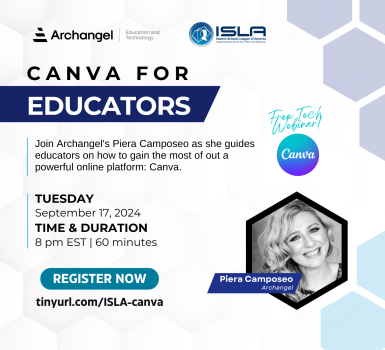
Register Here: https://tinyurl.com/ISLA-canva
